


Download UberEATS – food delivery, restaurant delivery, fast delivery, flat fee, no surge pricing, convenience, mobile app, dining, Uber, Android app
Overview
UberEATS delivers a focused dining experience centered on speed, affordability, and reliability. Designed to connect users with nearby restaurants through a dedicated fleet of drivers, the app eliminates the unpredictability of surge pricing found in related services. Instead, it employs a flat delivery fee, providing transparent costs regardless of demand.
This approach targets consumers prioritizing consistent pricing and quick meal delivery over extensive culinary variety. The service is particularly suited for urban dwellers seeking convenient, on-demand meals without the financial surprises common in other platforms. While the app’s restaurant selection may not rival broader marketplaces, its emphasis on proximity ensures food arrives fresh and hot.
The user experience is streamlined for efficiency, making it ideal for busy professionals, students, or anyone needing a reliable meal solution. Uber, the developer, leverages its established logistics network to maintain operational consistency. Real-world usage scenarios include last-minute dinner orders, weekday lunch breaks, or weekend takeout without the hassle of cooking.
The app’s design prioritizes intuitive navigation and visual appeal, turning meal selection into a seamless process. However, the limited restaurant range may disappoint users seeking niche cuisines or distant favorites.
Key Features & Capabilities
- Flat Delivery Fee: Eliminates variable pricing, offering predictable costs for every order regardless of time or demand.
- Proximity-Driven Restaurant Selection: Prioritizes nearby eateries to minimize delivery time and preserve food quality.
- Integrated Driver Network: Utilizes Uber’s dedicated delivery fleet to ensure consistent pickup and drop-off efficiency.
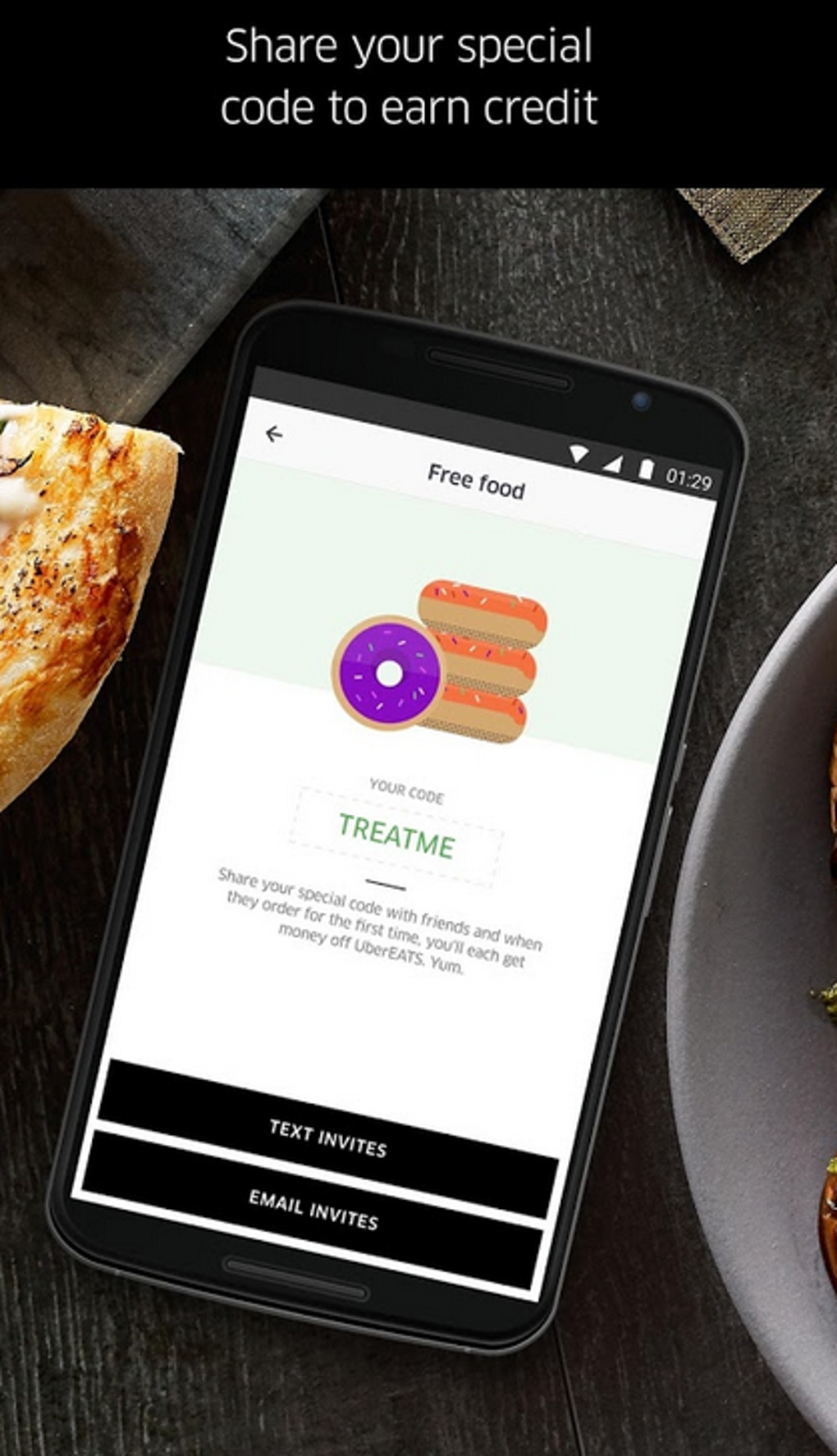
- Visual-First Interface: Features high-quality food imagery and clear pricing indicators to enhance user decision-making.
- Streamlined Ordering Workflow: Minimizes steps between selection and confirmation for rapid order placement.
- Driver Feedback System: Allows users to rate deliveries with simple thumbs-up or thumbs-down actions.
These features cater to users seeking convenience over choice. For example, a professional ordering lunch during a work break benefits from the app’s speed and fixed fees, avoiding unexpected charges. The proximity focus ensures a hot meal arrives within minutes, ideal for time-sensitive needs.
The visual design helps users quickly identify appealing options, reducing decision fatigue. While the feedback system is simplified, it enables quick assessment of delivery quality. The absence of surge pricing is a significant advantage for budget-conscious users, particularly during peak hours.
However, the limited restaurant selection may restrict options for those with specific culinary preferences, making the app best suited for everyday meals rather than special occasions.
User Interface, Workflow & Performance
The user interface emphasizes clarity and visual engagement, with large, appetizing food images and intuitive layout organization. Navigation is designed around a central menu, allowing users to browse restaurants by category or location with minimal effort. The workflow prioritizes speed, enabling users to select items, customize orders, and confirm payments in a few taps.
This efficiency reduces friction during high-demand periods. The app’s performance is optimized for responsiveness, with quick load times for restaurant listings and real-time order tracking. Stability appears consistent, with minimal reported crashes in the provided information.
However, exact performance details were not specified, including CPU or RAM usage patterns. Resource efficiency is assumed based on general mobile app behavior, but no specific data is available. The interface adapts to different screen sizes, though detailed customization options were not described.
Overall, the app maintains a polished, professional feel, aligning with modern mobile standards. The design choices support a seamless experience, though the simplicity may feel limiting to users accustomed to feature-rich platforms.
Compatibility & System Requirements
UberEATS is distributed as an APK file, indicating compatibility with Android operating systems. The developer did not provide additional system requirements, including minimum Android version, device specifications, or hardware compatibility details. Installation size information was not specified, so users should expect variable file sizes depending on the device and update cycle.
Platform compatibility information is limited to the APK format, which is exclusive to Android. No details were provided regarding support for iOS, Windows, or other operating systems. The absence of version-specific requirements means the app may function across a broad range of Android devices, but this is not confirmed.
Users should exercise caution when installing APKs from third-party sources, as security practices vary. The developer did not disclose any platform-specific limitations or optimization notes. For precise compatibility, users are advised to consult official sources or verify device requirements directly.
Pros and Cons
Pros
- Flat delivery fee eliminates surprise charges and surge pricing.
- Fast delivery times due to proximity-based restaurant selection.
- Intuitive, visually appealing interface for easy navigation.
- Reliable driver network integrated with Uber’s logistics system.
- Free to download and use, with no hidden subscription costs.
Cons
- Limited restaurant selection compared to broader delivery platforms.
- Simple driver feedback system lacks detailed rating options.
- Compatibility information is incomplete, with no system requirements provided.
- May not support niche cuisines or distant restaurants.
- Performance data and resource usage were not disclosed.
FAQ Section
Is UberEATS available for iOS devices?
The provided information does not specify iOS compatibility. The APK format indicates Android support, but no details were given about other platforms.
Is the app safe to download and use?
As a third-party APK, safety depends on the source. Users should only download from trusted platforms to avoid malware. The developer, Uber, is reputable, but APK installations bypass official app store security checks.
How often does the app receive updates?
The update frequency was not specified in the input. Users should check the official website or app store for the latest version and patch notes.
Does UberEATS require an internet connection?
Yes, the app requires a stable internet connection for real-time order tracking, restaurant browsing, and payment processing. Offline functionality was not described.
Can I use UberEATS without an account?
The input does not clarify account requirements. Most delivery apps require registration for order history and payment, but specific details were not provided.
Final Thoughts + CTA
UberEATS excels as a streamlined solution for users prioritizing speed, predictable pricing, and fresh meals. Its flat fee model and proximity-focused restaurant selection deliver a reliable experience, particularly for everyday dining needs. While the limited variety may deter enthusiasts of specific cuisines, the app’s efficiency and clean interface make it a strong contender for convenience-driven users.
The absence of surge pricing is a significant advantage, and the integration with Uber’s delivery network ensures operational consistency. However, the lack of detailed system requirements and performance data limits comprehensive evaluation. For those seeking a no-surprise, fast delivery option, UberEATS offers tangible benefits.
Download UberEATS now to experience efficient, affordable dining on the go.







